
How SOP Prompter Works: A Setup Guide for Live AI Help
From first launch to live suggestions in minutes. A practical guide to modes, tones, knowledge uploads, and getting the most out of SOP Prompter.
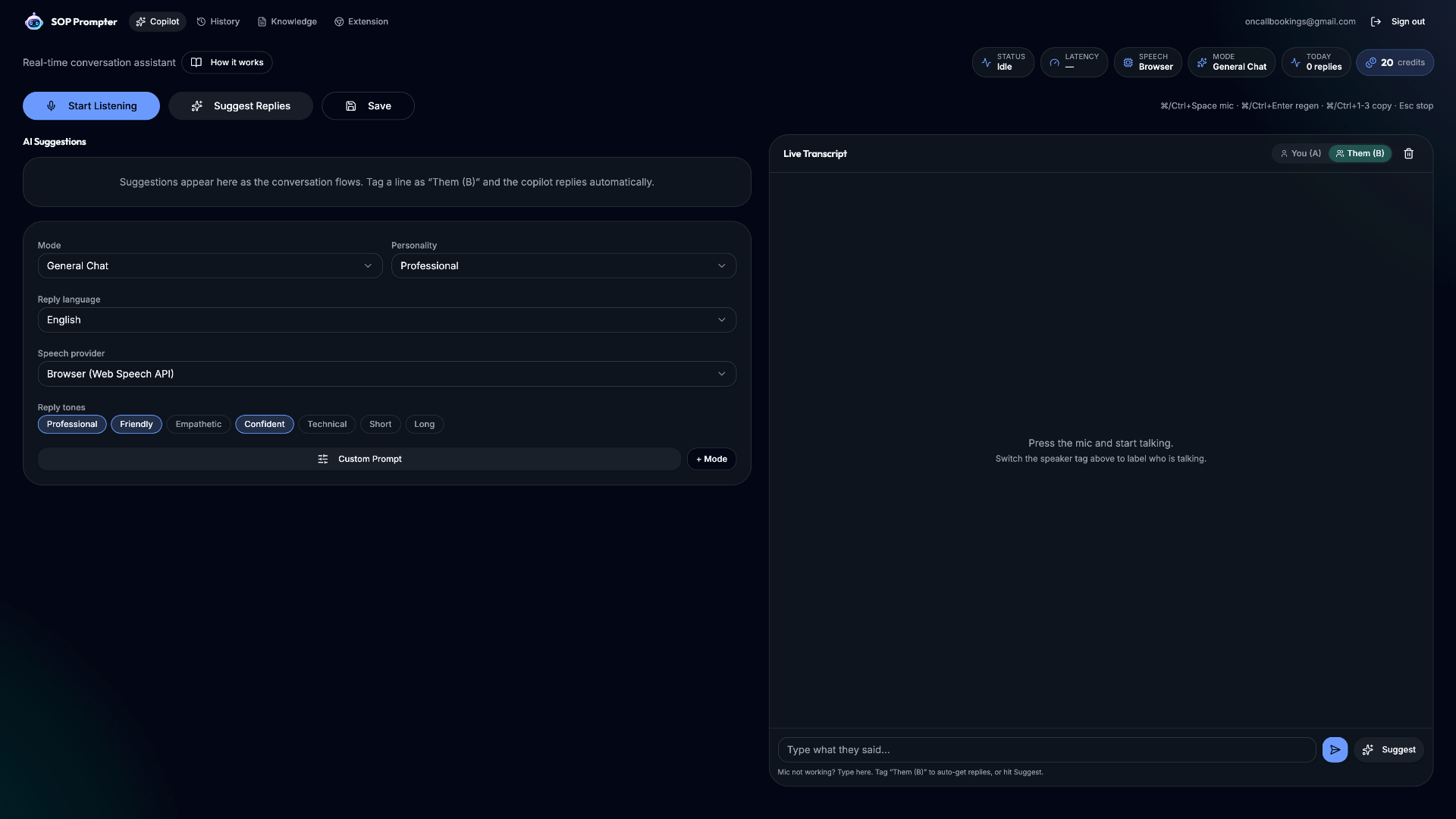
SOP Prompter is designed to be useful in the first five minutes. There is no lengthy onboarding, no IT project, and no per-seat sales call required. Here is how the core experience comes together.
1. Pick a mode
Start by choosing the conversation mode that matches your work — sales, support, interviews, healthcare, education, field service, and more than twenty others. The mode shapes how the AI frames its suggestions so the guidance fits your context out of the box.
2. Set personality, language, and tone
Next, tune how the copilot sounds. Choose a personality, a reply language, and a tone — warm, concise, consultative, or assertive — so suggested replies match your brand voice instead of sounding robotic.
3. Upload your knowledge base
Upload your own documents — PDFs, Word files, spreadsheets, Markdown, and more. SOP Prompter chunks and indexes them so its suggestions cite your real pricing, policies, and product details rather than generic answers. This retrieval-augmented approach is what makes the guidance trustworthy.
- Supports PDF, DOCX, TXT, CSV, and Markdown uploads.
- Answers cite the source document so you can verify on the fly.
- Your knowledge stays scoped to your account.
4. Go live
Start a session in the browser or open the Chrome side-panel extension, and the live transcript begins immediately. As the conversation unfolds, suggestions, SOP checklists, and detection signals appear in real time. Configure once, then let the copilot work on every call.
That is the whole loop: choose a mode, set your voice, feed it your knowledge, and go. Minutes to set up, value on the very first conversation.
Try SOP Prompter on your next call
Real-time transcription, AI suggestions, and SOP guidance — free to start.